Home / Blog / Social Media Marketing
Social Media Marketing
How to Run LinkedIn Ads: A Step-by-Step Guide for B2B Businesses
To run a LinkedIn ad, create a Company Page and an ad account in Campaign Manager, choose one objective, target by job title, industry and company size, pick a format such as Sponsored Content, set a budget and launch. LinkedIn costs more per click than most platforms, so it suits B2B businesses selling to decision makers.
Key takeaways
- LinkedIn ads let you target by job title, industry, seniority and company size. That precision is the reason to use them.
- The cost is the catch. LinkedIn clicks and leads are usually dearer than on Facebook or Google, so it suits B2B businesses with a decent deal value.
- Everything runs through Campaign Manager: one objective, one audience, one format, one budget.
- Yes, you can run video ads on LinkedIn. They run as Sponsored Content in the feed.
Why LinkedIn ads, and when not to use them
If someone asks us “why LinkedIn ads”, we give the same answer every time: because of who you can reach. A pump manufacturer in Coimbatore can show an ad only to purchase managers at engineering companies. A staffing firm can reach HR heads. An ERP consultant can reach finance directors. You cannot be that precise on most other platforms.
Here is the honest other half. LinkedIn is expensive. If you sell to local households, such as a salon, a bakery or a tuition class, Facebook and Instagram will almost always give you more enquiries for the same money. LinkedIn earns its price when one customer is worth enough to justify paying a lot to reach them.

What is LinkedIn Sponsored Content
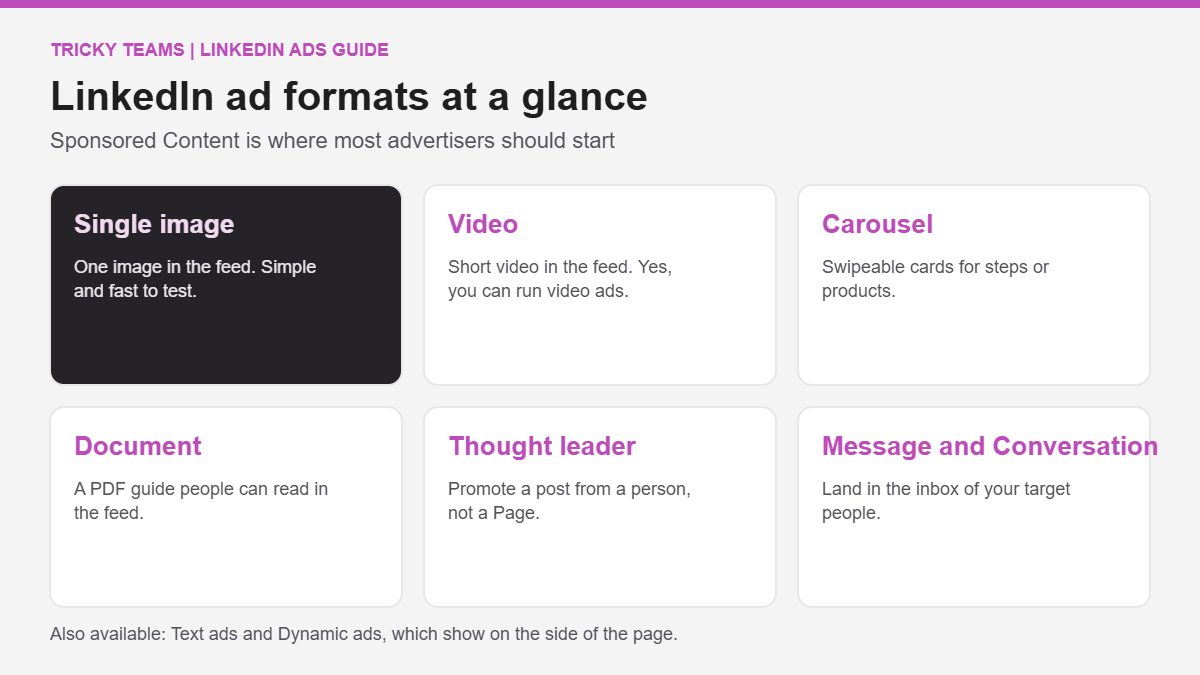
Sponsored Content is the name LinkedIn gives to ads that appear directly in the feed. They look like normal posts, with a small “Promoted” label, and they are the format most advertisers should start with. It covers single image, video, carousel and document ads, and it works for awareness, website visits and lead generation.
The other main family is Sponsored Messaging (message ads and conversation ads that land in the inbox). There are also Text ads and Dynamic ads that appear on the side of the page. For a first campaign, ignore everything except Sponsored Content.
LinkedIn ad formats
“Can you run video ads on LinkedIn?” is one of the most common questions, so to be clear: yes, video is one of the Sponsored Content formats. Here is how the main formats compare.
| Format | Good for | Example |
|---|---|---|
| Single image | Simple offers, quick tests | Free plant audit for factories |
| Video | Brand story, product demo | 60-second tour of your workshop |
| Document | Gated guides and reports | Export compliance checklist as a PDF |
| Carousel | Steps, case studies, product range | Five projects, one per card |
| Message ad | Events, invitations, high-value offers | Invite to a webinar |
Before you start
- A LinkedIn Company Page. Sponsored Content runs on behalf of a Page, so create one first. Add a logo, a short description and your website.
- The right access. The person setting up ads needs an admin role on the Page and an Account Manager role on the ad account.
- A payment method. You add this when you create the ad account in Campaign Manager.
- The LinkedIn Insight Tag, if you want to track website conversions. Skip it for a first Lead Gen Form test.
How to run a LinkedIn ad, step by step
This also answers “how to run a campaign on LinkedIn”. The screens change a little over time, but the order stays the same.
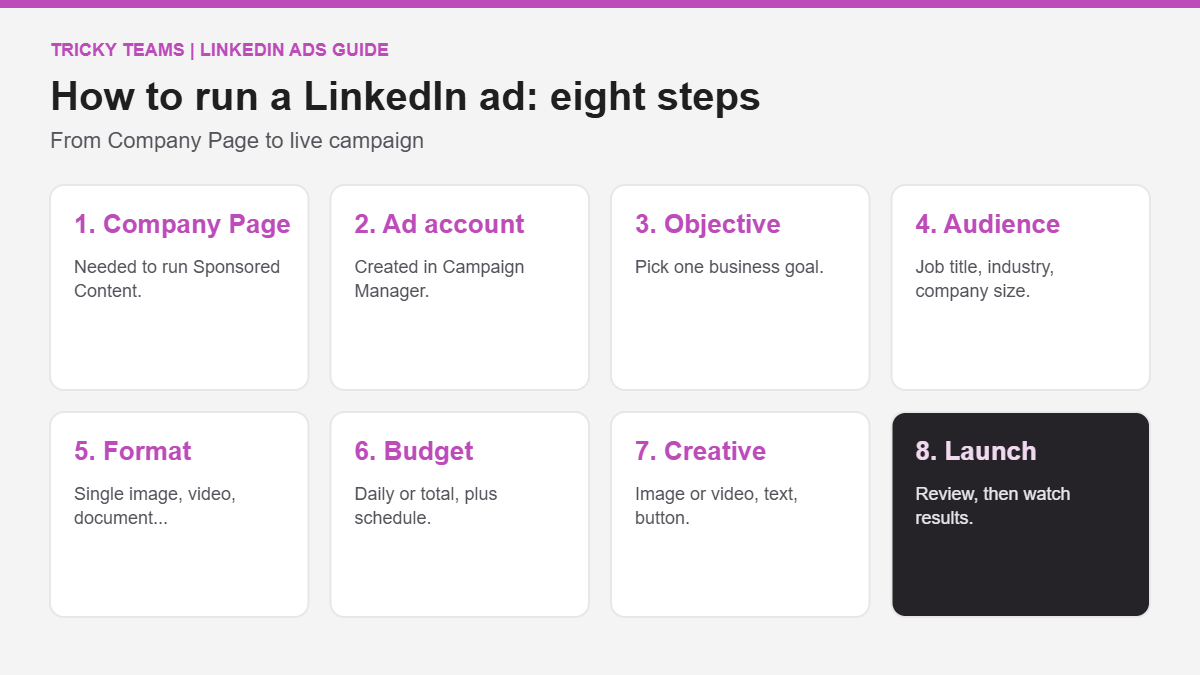
Step 1. Open Campaign Manager and create a campaign group
Sign in to Campaign Manager, pick or create your ad account and make a campaign group. Name it clearly, for example “Nov 2026 Lead gen”. It keeps your spend and results tidy.
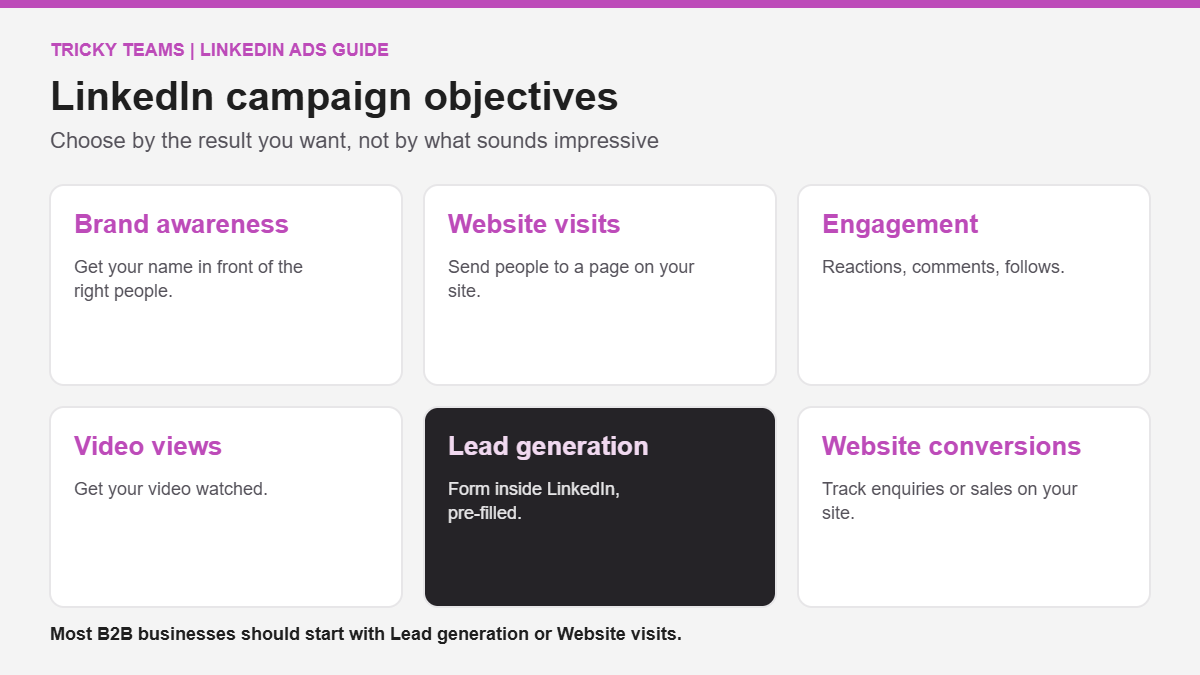
Step 2. Click Create and choose the objective
LinkedIn asks what you want first, then shapes the rest around it.
Step 3. Build the audience
- Location: the country, state or city where your buyers sit.
- Job details: job titles, seniority and job function. This is where LinkedIn beats the other platforms.
- Company details: industry, company size or specific company names.
- Audience expansion: consider switching it off so LinkedIn does not widen your audience beyond what you chose.
Watch the forecast panel. If the audience is tiny, delivery will be slow, and if it is huge, you are paying to reach people who do not matter.
Step 4. Choose the ad format
Choose Sponsored Content and then single image, video, carousel or document. If your goal is leads, attach a Lead Gen Form. It opens inside LinkedIn, pre-filled from the person’s profile, so they do not have to type.
Step 5. Set the budget and schedule
Choose a daily or total budget, a start date and an end date, and the bidding option. Stay above LinkedIn’s minimums, covered in the budget section below.
Step 6. Create the ad
Write the intro text, add the image, video or document, write a headline, and pick the button such as Learn more or Download. Say who it is for in the first line.
Step 7. Review and launch
Preview the ad, check the audience size and launch. LinkedIn reviews it first, then it starts delivering.
What the dashboard looks like
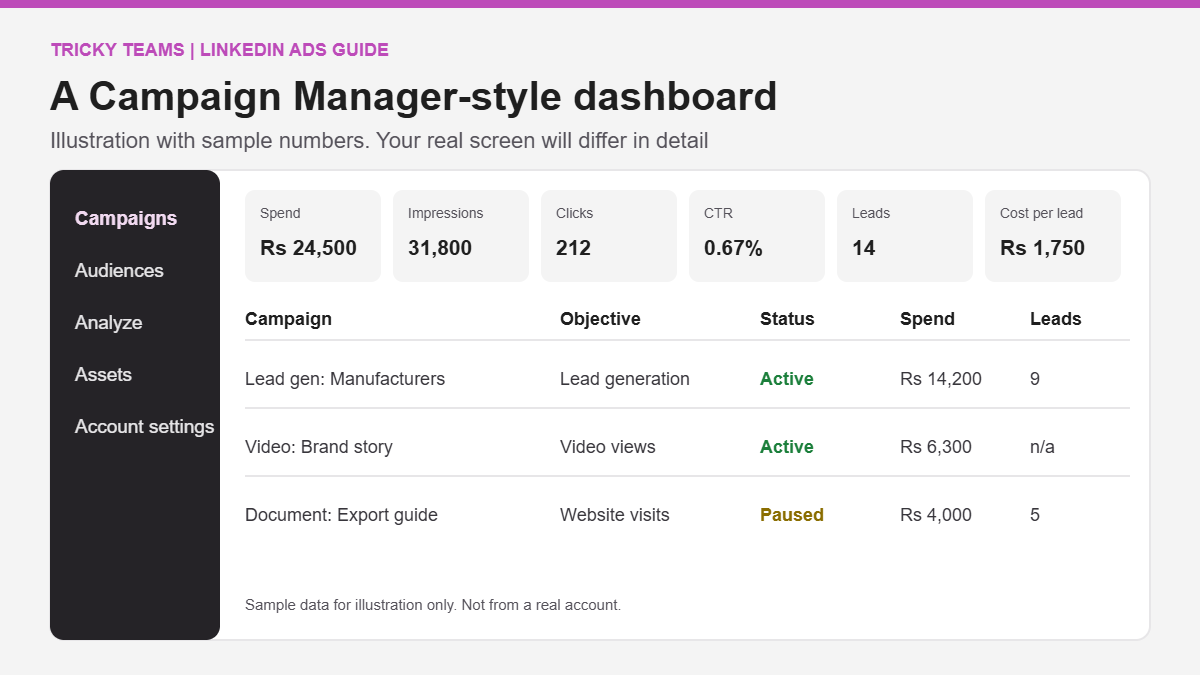
Once your ad is running, Campaign Manager shows your campaigns in a table with spend, impressions, clicks, click-through rate and leads, with filters at the top and a menu on the left for audiences, assets and account settings. The picture below is our own illustration with sample numbers, so you know what to look for. Your real screen will differ in detail.

How to add someone to Campaign Manager
This comes up whenever you hire an agency or a new marketer. You must be an Account Manager on the ad account to add people.
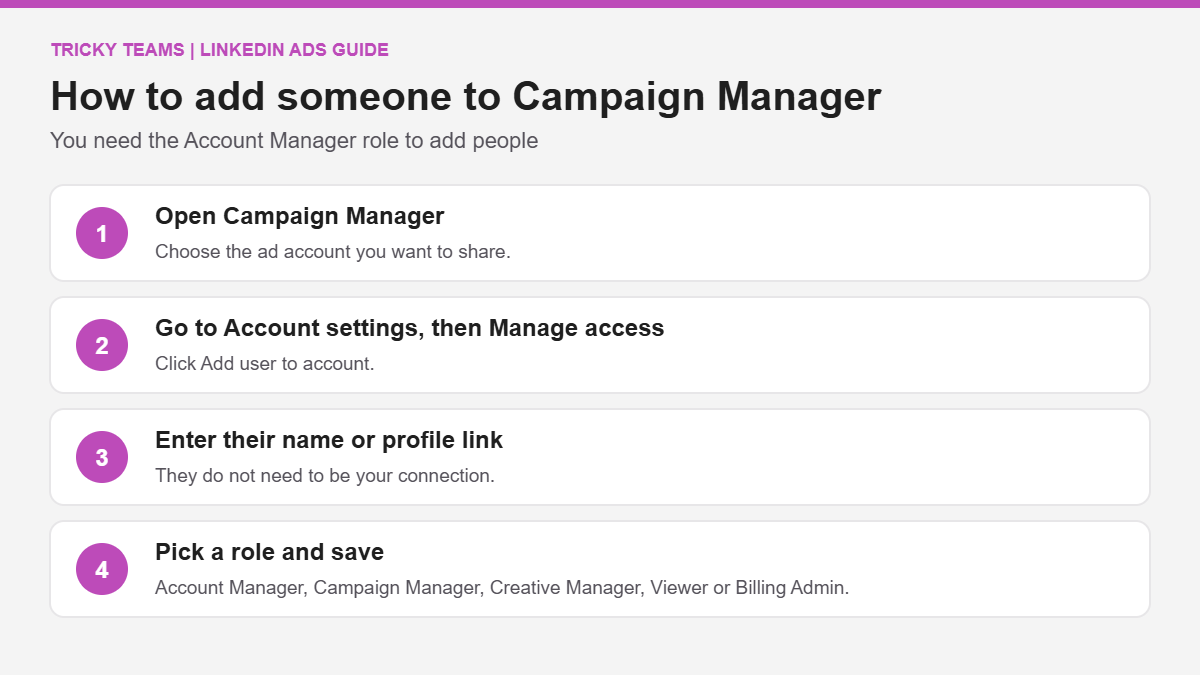
- Open Campaign Manager and select the ad account.
- Go to Account settings, then Manage access.
- Click Add user, and enter the person’s name or profile link. They do not have to be your connection.
- Choose a role and save. Account Manager has full control, Campaign Manager can create and edit campaigns, Creative Manager can work on ads, Viewer can only look, and Billing Admin handles payments.
If your ad account has been added to LinkedIn Business Manager, add people there instead. Also keep at least two Account Managers on every ad account so you are never locked out.
How much should you spend
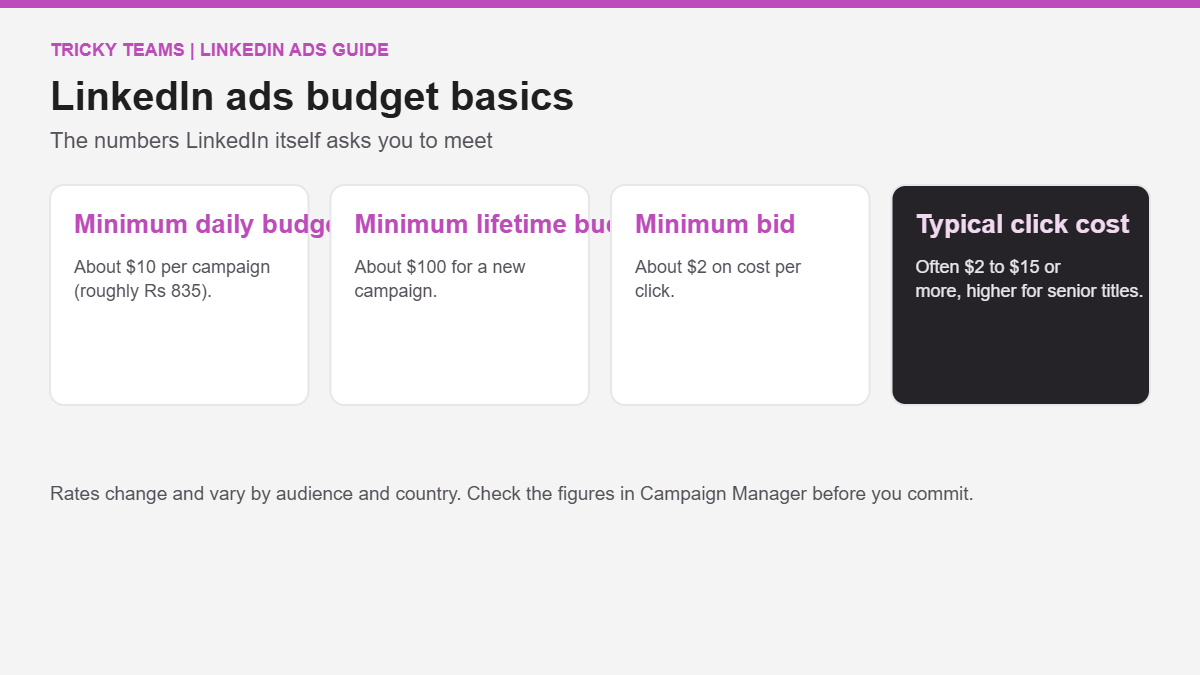
LinkedIn’s stated minimums are around $10 a day and $100 in total for a new campaign, with a minimum bid of around $2. Those get you started, not results. Published benchmarks for 2026 vary a lot, with click costs from about $2 to over $10 and Indian agency estimates around Rs 150 to Rs 650 per click, and leads from about Rs 2,500 to Rs 12,000. Senior titles and niche industries sit at the top.
| Plan | Rough monthly spend | What it can tell you |
|---|---|---|
| Small test | Rs 25,000 to Rs 40,000 | Whether your message and audience get any response |
| Proper campaign | Rs 60,000 to Rs 1,00,000 | Cost per lead with enough data to compare ads |
These monthly figures are our planning suggestion, not a quote. Our digital marketing pricing guide shows how ad budgets and management fees fit together.
Ad copy examples you can adapt
These are samples to show the pattern, not results from a client.
- Pump manufacturer: “Purchase heads at textile mills: cut pump downtime by planning one scheduled service. Download our 2-page maintenance checklist.”
- IT services firm: “Finance directors, still closing the books in 10 days? See how mid-size companies cut it to 4. Get the free guide.”
- Management institute: “Working professionals in Coimbatore: our weekend MBA info session is on Saturday. Reserve a seat with one click.”
Say who it is for, promise one useful thing, and offer one next step. If you operate in finance or healthcare, check the claim rules first. Our pages for finance and healthcare cover the usual ones.
Mistakes that waste ad money
- Using LinkedIn to sell low-priced consumer products.
- Targeting by industry only, without job titles.
- Leaving audience expansion on and paying for people outside your target.
- Sending people to a generic home page instead of a page or form made for the offer.
- Running only one ad, so you never learn what works.
- Judging on clicks instead of cost per qualified lead.
- Stopping after one week. B2B results build slowly.
Do it yourself or get help
Setting up your first campaign yourself teaches you a lot. But LinkedIn is the platform where mistakes cost most, since each click is expensive. Tricky Teams manages social media and digital marketing from Rs 8,000 per month, with your ad budget paid directly to the platform so you can see where the money goes. We will tell you honestly if LinkedIn is not the right channel for you. The first review is free.
Frequently asked questions
How do I run a LinkedIn ad?
Create a LinkedIn Company Page, open Campaign Manager and set up an ad account with a payment method. Click Create, choose an objective, build the audience by job title, industry and company size, choose a format, set a daily budget and schedule, add your creative and launch. Then check results after a week.
What is LinkedIn Sponsored Content?
Sponsored Content is LinkedIn’s name for native ads that appear directly in the feed, looking like normal posts with a Promoted label. It includes single image, video, carousel and document ads. Most advertisers start here because it works for awareness, website visits and lead generation.
Can you run video ads on LinkedIn?
Yes. Video ads run as Sponsored Content in the LinkedIn feed. Pick the Video Views objective if you want people to watch, or use video with a lead form or website visit goal. Keep it short, make it understandable without sound, and put the point in the first few seconds.
How do I run a campaign on LinkedIn?
In Campaign Manager click Create, then Campaign. Choose one objective, define the audience, pick the ad format, set the budget, schedule and bid, and create or select your ad. Group related campaigns in a campaign group so you can compare spend and results later.
How do I add someone to LinkedIn Campaign Manager?
You need the Account Manager role. Open Campaign Manager, choose the ad account, go to Account settings, then Manage access, click Add user and enter the person’s name or profile link. Choose a role, such as Campaign Manager or Viewer, and save. If your account is in Business Manager, add them there instead.
Why should I use LinkedIn ads?
Because you can target people by job title, seniority, industry and company size, which most other platforms cannot do as precisely. That makes it useful for B2B businesses selling to other companies. The trade-off is cost: clicks and leads are usually dearer than on Facebook or Google.
How much do LinkedIn ads cost in India?
LinkedIn asks for a minimum of about $10 a day per campaign. Click costs vary widely by audience and sources disagree, with Indian agency estimates around Rs 150 to Rs 650 a click and leads from roughly Rs 2,500 to Rs 12,000. Senior and niche audiences cost more. Treat these as planning ranges.
Do I need a LinkedIn Company Page to advertise?
For Sponsored Content, yes. You need a Company Page that the ads run on behalf of. Create one, add a logo, description and website, and make sure the person setting up ads has the right admin role on that Page.
What is the minimum budget for LinkedIn ads?
LinkedIn’s stated minimums are about $10 per day and about $100 lifetime for a new campaign, with a minimum bid around $2 on click-based bidding. Many advertisers find they need more than the minimum to collect enough data, so plan for a test of several weeks.
Which LinkedIn ad format should I start with?
Start with a single image or a document ad with a Lead Gen Form if you want enquiries, because the form is pre-filled from the person’s profile. Try video once you have a clear story to tell. Message ads can work for events and offers but need a careful, short message.
Is LinkedIn better than Facebook ads for B2B?
For reaching specific job titles at specific companies, usually yes. For reaching local consumers or small shops, Facebook and Instagram are usually cheaper and easier. Many businesses use LinkedIn for decision makers and Facebook or Google for volume. Our Facebook ads guide covers the other side.
How long should I run a LinkedIn campaign before judging it?
Plan for at least two to four weeks, because the audience is smaller and results build slowly. Check weekly, but avoid big changes in the first week. Judge it on cost per qualified lead and what happens after the lead arrives, not on clicks alone.
Not sure if LinkedIn is right for you?
Tell us who you sell to and we will give you an honest view, free of charge.