
To rank in the Google local pack, claim and verify your Google Business Profile, choose the right primary category, complete every field, add quality photos, collect genuine reviews and keep your business details consistent everywhere. This 15-step GMB optimization checklist walks you through each action, in the order we use it for clients of our GMB services.
- Google ranks local results by relevance, distance and prominence.
- A complete, active and verified profile wins more calls, visits and directions.
- Genuine reviews and consistent details build trust with Google and customers.
What Is Google Business Profile Optimization?
Google Business Profile optimization is the process of improving your listing so it appears higher in Google Maps and the local pack, and so it turns more viewers into customers. It is a core part of local SEO and works best alongside a strong website, as we explain in our guide to SEO services costs in India.
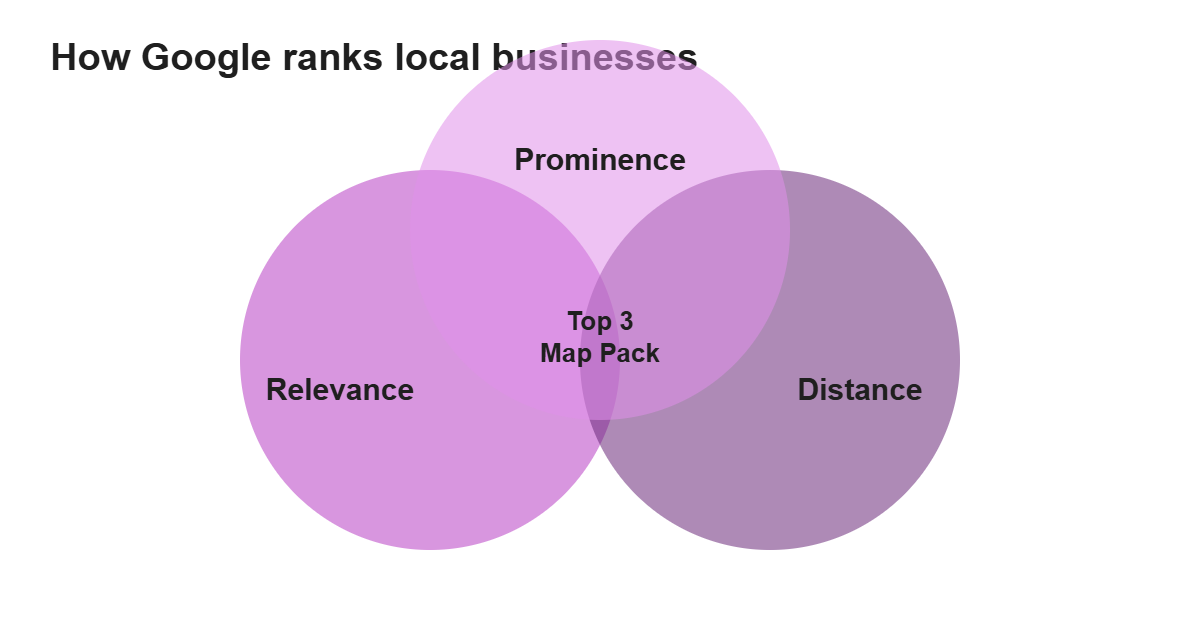
How Does Google Rank Local Businesses?
| Ranking factor | What it means | What you can do |
|---|---|---|
| Relevance | How well your profile matches the search | Pick accurate categories, add services and write a clear description |
| Distance | How close you are to the searcher | Use your exact address and service area |
| Prominence | How well known and trusted you are | Earn reviews, links and mentions |
The 15-Step GMB Optimization Checklist
1. Claim and verify your profile
Search for your business, claim the listing and complete verification. Unverified profiles rarely rank.
2. Choose the best primary category
Your primary category is one of the strongest ranking signals. Pick the one that best describes your main service, then add secondary categories.
3. Use your real business name
Stick to your actual name. Adding keywords to the name violates guidelines and can get your profile suspended.
4. Add a consistent address and phone number
Match the details on your website, social profiles and directories. This is called NAP consistency.
5. Set accurate business hours
Add regular and special hours so customers always know when you are open.
6. Write a helpful business description
Use the 750 characters to explain who you serve and what you offer in natural language.
7. List all your services and products
Add each service with a short description. This helps you appear for more specific searches.
8. Upload real, high-quality photos
Add photos of your team, location, work and products. Profiles with photos tend to get more engagement.
9. Collect genuine reviews
Ask happy customers for a review using your short review link. Never buy reviews or offer rewards for them.
10. Reply to every review
Thank positive reviewers and respond calmly to negative ones. Replies show that you care.
11. Answer questions in the Q and A section
Add common questions and answers yourself so customers find accurate information fast.
12. Post updates every week
Share offers, news and events with a clear call to action button.
13. Turn on messaging and add your booking link
Make it easy to call, message or book straight from your profile.
14. Link your profile to a fast, relevant landing page
Send visitors to a page that matches their search, such as a service page, not just the home page.
15. Track insights and improve each month
Review calls, direction requests and search terms, then update your profile based on what works.
How Much Do GMB Management Services Cost in India?
| Service level | Typical monthly cost (INR) | What is included |
|---|---|---|
| Basic setup and optimization | Rs 5,000 to Rs 10,000 | Profile setup, categories, services and photos |
| Standard management | Rs 10,000 to Rs 20,000 | Posts, review replies and reporting |
| Advanced local SEO | Rs 20,000 to Rs 25,000 and above | Citations, review strategy and multi-location support |
These are commonly quoted market ranges. Real prices depend on your city, competition and number of locations.
Common GMB Mistakes to Avoid
- Keyword stuffing the business name
- Using a virtual office or fake address
- Ignoring negative reviews
- Leaving the profile without updates for months
- Choosing too many irrelevant categories
AI search tools also pull from local listings, so a strong profile helps there too. Read our AEO and GEO guide to learn more.
GMB Optimization FAQs
What is Google Business Profile?
Google Business Profile, earlier called Google My Business or GMB, is a free listing that shows your business on Google Search and Google Maps with your address, hours, photos, reviews and contact details.
How long does GMB verification take?
Video or phone verification is often completed within a few days, but some listings take one to two weeks if Google asks for extra proof. Make sure your name, address and category match your real business.
How can I rank higher in the Google local pack?
Focus on relevance, distance and prominence: choose the right primary category, complete every field, collect genuine reviews, add fresh photos and posts, and keep your name, address and phone number consistent across the web.
How much do GMB management services cost in India?
Commonly quoted prices range from about Rs 5,000 to Rs 25,000 per month for GMB management, depending on the number of locations and the amount of work. These are market ranges, not fixed rates.
Can I buy reviews for my Google profile?
No. Fake or incentivised reviews break Google policy and can lead to removed reviews or a suspended profile. Ask real customers and make it easy for them to leave feedback.
How often should I post on my Google Business Profile?
Posting once or twice a week keeps your profile active. Share offers, updates and events with a clear call to action.
Want Us to Handle Your Google Business Profile?
Our team sets up, optimizes and manages your listing so more local customers find you. Share your details and we will send a clear plan.